


AI Video Generator - Novi AI
4.694.00 Reviews
App Specs
- Version
- 2.3.1
- Updated On
- License
- Free
- Downloads
- 1,000,000+
- Developer
- Shenzhen iMyfone Technology Co., Ltd.
- Categories
- Art & Design
- Platform
- Android
Screenshots

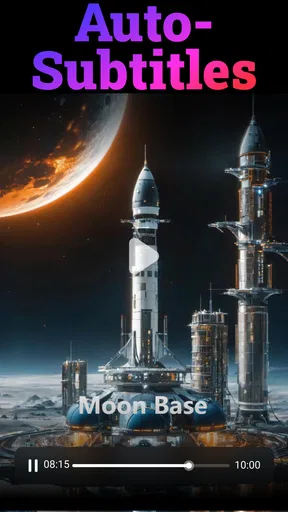
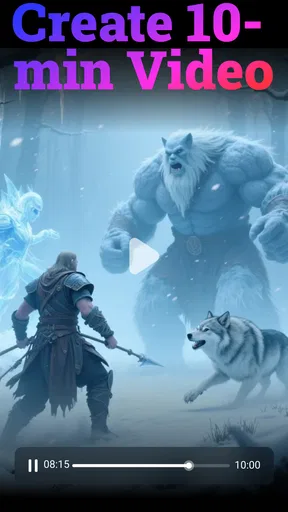
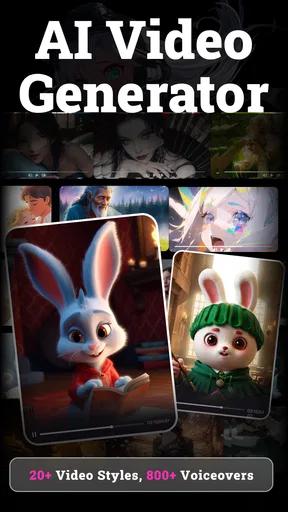
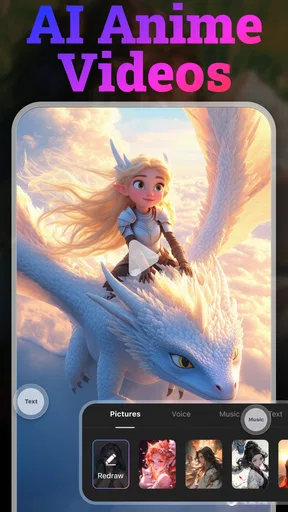
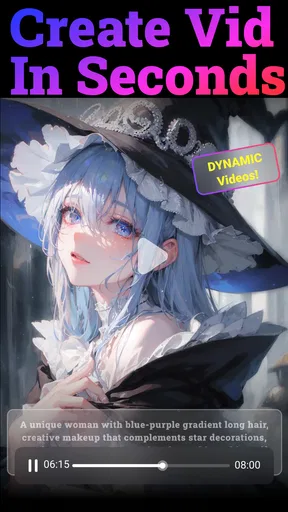
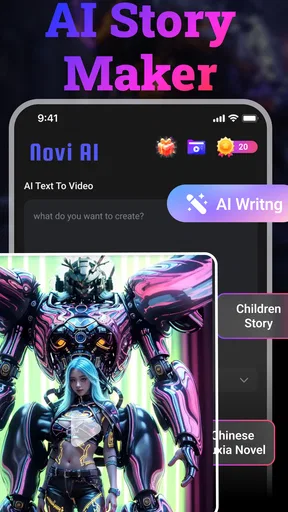
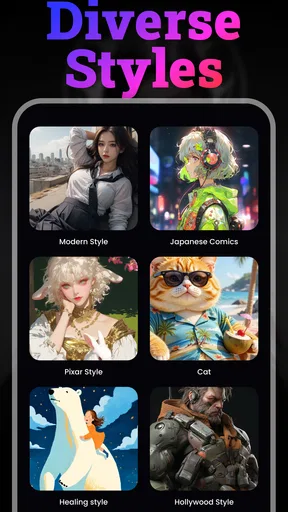
 Analysis by AppCompare
When I reach for an AI video maker on my phone, the first practical question is often whether I can get from an idea to a usable draft without fighting the process. AI Video Generator - Novi AI is aimed at that quick, text-and-image-led workflow, with room for videos as long as 10 minutes. I see its appeal in turning a rough concept into something shareable, especially when I have more of a message than an editing plan. It is a free Art & Design app from Shenzhen iMyfone Technology Co., Ltd., though some in-app purchases cost between $2.99 and $99.99 per item.
How Novi AI fits a connected, mobile workflow
AI video creation is not just about tapping a button; it is also about how smoothly an idea moves through a phone-based workflow. I would treat Novi AI as a tool for shaping a draft rather than a guarantee that every stage will happen instantly or under every network condition. The app’s focus on text and images makes it a natural fit for ideas that begin as a caption, a short outline, or a handful of visuals, rather than a folder of carefully trimmed video clips.
That distinction matters if you are comparing it with a conventional mobile editor. A timeline editor gives you direct control over clip order and fine cuts, while an AI generator is more useful when you want the app to help translate source material into a video concept. If I already know exactly where each shot should begin and end, I would prefer the precision of a manual editor. If I have a simple story to tell and want a starting point without building every scene by hand, Novi AI is the more interesting experiment.
When a network connection becomes part of the creative process
Because the central task involves generating a video from text and images, I would plan to use the app when I have a reliable connection, particularly for the generation stage. That is a practical expectation for an AI-based workflow, not a promise about how the app behaves in every network situation. I would avoid beginning a time-sensitive project while moving between weak signals: even a good idea can become frustrating if a long task is interrupted or takes longer than expected.
A sensible routine is to write and refine the prompt before opening the generation flow. I find that a clear description—who the video is for, what it should explain, and what tone it should have—is more useful than a string of vague style words. Preparing the wording first also reduces the time spent making repeated requests over a mobile connection. For image-based projects, choosing the images in advance helps keep the session focused and makes it easier to notice whether the result actually reflects the story I meant to tell.
The advertised capacity for videos up to 10 minutes is useful for people who need more than a tiny social clip, but maximum length is not automatically the best target. For a product explanation, class recap, or family update, I would start with a compact draft and see whether the idea holds together before extending it. Longer videos require more attention from viewers, and a generated sequence can feel padded if the source material is too thin. Starting short is a creative choice, not just a way to save time.
Useful mobile situations, and the ones I would avoid
I can picture using Novi AI during a quiet break to turn a few notes and selected pictures into a first draft for a community announcement. I would collect the event details, pick only images that support the message, and make the prompt explain the order or emphasis I want. After generation, I would check names, dates, and any other factual text carefully. AI can help assemble a presentation, but I would not treat a generated video as a reliable proofreader.
Worth Reading Before You Choose

EA SPORTS FC Mobile 26 Is a Bigger Football Game, but It Takes Time

Flipboard Shows What News Apps Must Do Beyond the Feed

Switching to Android Auto Means Rethinking Your Driving Routine

Google Calendar Makes a Crowded Week Easier to Manage

Ludo King Makes the Most of the Minutes Between Plans

Baby Panda World Brings Quick Play to Modern Phones, but Its Game Library Feels Busy
It also suits a small shop owner who wants to test a simple visual introduction to a new item without learning a full desktop editing suite. The useful test is not whether the result looks elaborate; it is whether a viewer can understand what the item is and why it matters. If the generated draft adds distracting scenes or misses the point, I would revise the prompt or switch to a basic editor where each shot can be placed deliberately. That is a good boundary for AI assistance: let it speed up the first pass, then keep control of the message.
On a phone, I would not start a substantial project in the middle of a commute or with a nearly empty battery. A video workflow can involve drafting, selecting images, reviewing a result, and deciding what to change, so it is easier when I can focus and stay connected. For a quick idea test, mobile is convenient; for a polished piece with exact timing, captions, and carefully controlled pacing, I would move to a more hands-on editing workflow instead of expecting a generator to do every finishing task.
What I would check before sharing a generated video
The most important review step is to watch the whole result with the sound on and the sound off. With sound on, I can judge whether narration or music competes with the message; muted, I can catch visual choices and on-screen text that might otherwise pass by. I would also check that the opening makes sense on its own, since viewers may decide quickly whether to continue, and that the ending does not feel like an abrupt stop.
For text-led videos, I would keep each idea simple and avoid packing several unrelated instructions into one prompt. A focused prompt gives me a clearer basis for judging the output: if the result is wrong, I can tell whether the issue was the wording, the chosen images, or the generated arrangement. Changing one part at a time is a more useful troubleshooting habit than rewriting everything at once. It also helps me learn what kind of input this particular workflow handles well.
I would be especially cautious with business, school, or public-facing material. Check spelling, factual claims, and whether every selected image is appropriate to share. If a video needs exact brand styling, precise subtitles, or a legally reviewed message, I would use Novi AI only for a rough concept and finish the work in a tool that gives me more explicit control. That extra review is not busywork; it is what separates a convenient draft from something I am comfortable publishing.
Cost, audience, and alternatives
Novi AI is free to download, and its Everyone age rating makes it broadly accessible, though that does not mean every generated result will suit every audience. The app has an average rating of 4.6 from around 13,000 ratings, with over 1 million installs. Those figures suggest that plenty of people have tried it, but I would still judge it by whether its workflow matches my own needs. The current version is 2.3.1, and it requires Android 7.0 or later.
In-app purchases range from $2.99 to $99.99 per item, so I would explore the free experience before paying for anything. The key question is whether a paid option solves a recurring problem for me, rather than merely making one experiment feel more exciting. If I only need an occasional short video, a free manual editor may be enough. If I regularly want an AI-assisted starting point from text and images, paying could make more sense—but only after checking the purchase details in the app and deciding that the output saves me meaningful effort.
Compared with standard video editors, the trade-off is convenience versus control. Traditional editors are often the better choice for precise cuts, consistent visual branding, and detailed audio work. A template-based creator can be quicker for a repeatable format, while Novi AI’s text-and-image approach is most compelling when I want to explore a concept without assembling a full timeline first. I would skip it if my main requirement is frame-by-frame editing, dependable professional finishing, or a workflow that must continue seamlessly in places where my connection is unreliable.
Getting Started with Novi AI
First things first, downloading and setting up the app is a breeze. Available on both Android and iOS, you can find it on the respective app stores. Once installed, the interface greets you with a clean and intuitive design. You won't be fumbling around trying to figure out what everything does—it's all laid out in a user-friendly manner.
Upon launching Novi AI, you're introduced to a quick tutorial. This is super handy because it gives you the lowdown on how to navigate the app and make the most of its features. Even if you're a complete newbie to video editing, you'll feel right at home.
Features That Stand Out
When it comes to features, Novi AI is packed with some seriously cool tech. The app uses advanced AI algorithms to help you create professional-looking videos with minimal effort. Here's a rundown of what caught my eye:
- Smart Templates: Choose from a variety of pre-designed templates that fit different themes and moods. Whether it's for a birthday party or a business presentation, there's something for everyone.
- AI Editing: The app’s AI can automatically edit your clips, adding transitions, effects, and even background music. It’s like having a personal editor who knows exactly what you need.
- Text and Voiceover: Add text overlays and voiceovers to your videos with ease. The text-to-speech feature is especially handy if you're not keen on recording your own voice.
- Music Library: Access a vast library of royalty-free music tracks to give your videos that extra oomph.
Each feature is designed to make the video creation process as smooth as possible. The AI does a lot of the heavy lifting, so you can focus on your creative vision rather than the technical stuff.
Performance and User Experience
One of the things I love about Novi AI is how smoothly it runs. Even on older devices, the app performs admirably without any noticeable lag or crashes. This is a huge plus for those of us who don’t always have the latest gadgets.
The app's responsiveness makes editing quick and enjoyable. You can preview your changes in real-time, which is great for making adjustments on the fly. Plus, exporting your finished videos is fast, with multiple resolution options available, including HD.
Room for Improvement
While Novi AI is pretty impressive, there are a couple of areas where it could improve. For instance, although the template variety is decent, expanding the library would offer even more creative freedom. Additionally, while the AI editing is generally spot-on, it occasionally makes cuts that might not align perfectly with your vision. A bit more customization in this area wouldn’t hurt.
Another thing to note is that some features are locked behind a premium subscription. While the free version is functional, unlocking the full potential of Novi AI requires a monthly fee. It's something to consider if you're budget-conscious.
Final Thoughts
All in all, AI Video Generator - Novi AI is a fantastic tool for anyone looking to create polished videos without the hassle of traditional editing software. Its combination of AI-driven features and user-friendly design makes it a standout choice in the crowded world of video editing apps.
Whether you're a seasoned creator or just looking to make some fun videos for social media, Novi AI has a lot to offer. It's definitely worth checking out if you're in the market for a powerful yet accessible video editing solution.
My practical recommendation is to treat it as a way to test and shape an idea, then decide whether the result deserves a more deliberate edit. That approach makes the app useful even when its first pass needs adjustment, and it keeps expectations realistic about what automation can do. I would choose Novi AI when speed and a text-and-image starting point matter most; I would choose a conventional editor when precision, repeatability, or a carefully controlled final cut matters more.
Pros
- User-friendly interface for quick video creation.
- High-quality video output with minimal effort.
- Wide range of templates available for customization.
- Fast processing speeds enhance productivity.
- Integrates well with social media platforms.
Cons
- Limited free features; requires subscription for full access.
- Occasional glitches in video rendering.
- Templates can feel repetitive over time.
- Lacks advanced editing tools for professionals.
- Requires stable internet connection for optimal use.
FAQs for AI Video Generator - Novi AI
What features does Novi AI offer for video generation?
Novi AI provides a range of features that simplify video creation. Users can input text, and the app automatically generates video content using AI-powered tools. It includes customizable templates, music integration, and advanced editing options. The app also supports exporting videos in various formats suitable for different platforms.
Is Novi AI user-friendly for beginners?
Yes, Novi AI is designed with a user-friendly interface that caters to beginners and experienced users alike. The intuitive layout and step-by-step guidance make it easy to navigate. Even those new to video editing can create professional-looking videos without needing extensive technical knowledge.
Are there any subscription fees for using Novi AI?
Novi AI offers both free and premium subscription plans. While the free version provides basic features, premium plans unlock additional tools, templates, and higher-resolution exports. Users can choose a plan that best fits their needs and budget, with options for monthly or annual billing.
What devices are compatible with Novi AI?
Novi AI is available for both Android and iOS devices, ensuring broad compatibility across smartphones and tablets. The app is designed to run smoothly on most modern devices, though the performance may vary based on hardware specifications. It's advisable to check the app store for specific requirements.
How does Novi AI handle privacy and data security?
Novi AI prioritizes user privacy and data security. It employs encryption and secure servers to protect user data. The app requires minimal permissions and ensures that personal information is not shared with third parties. Users can review the privacy policy for detailed information on data handling practices.


